Every inbound lead, scored and routed in seconds.
Leadline turns each website enquiry into a clean CRM record, rates it hot, warm or cold with the reasons shown, alerts your team in Slack and sends the lead a follow-up email, before they've closed the tab.
The demo form feeds the real pipeline. Then open the dashboard to see the record, the score and the alert.
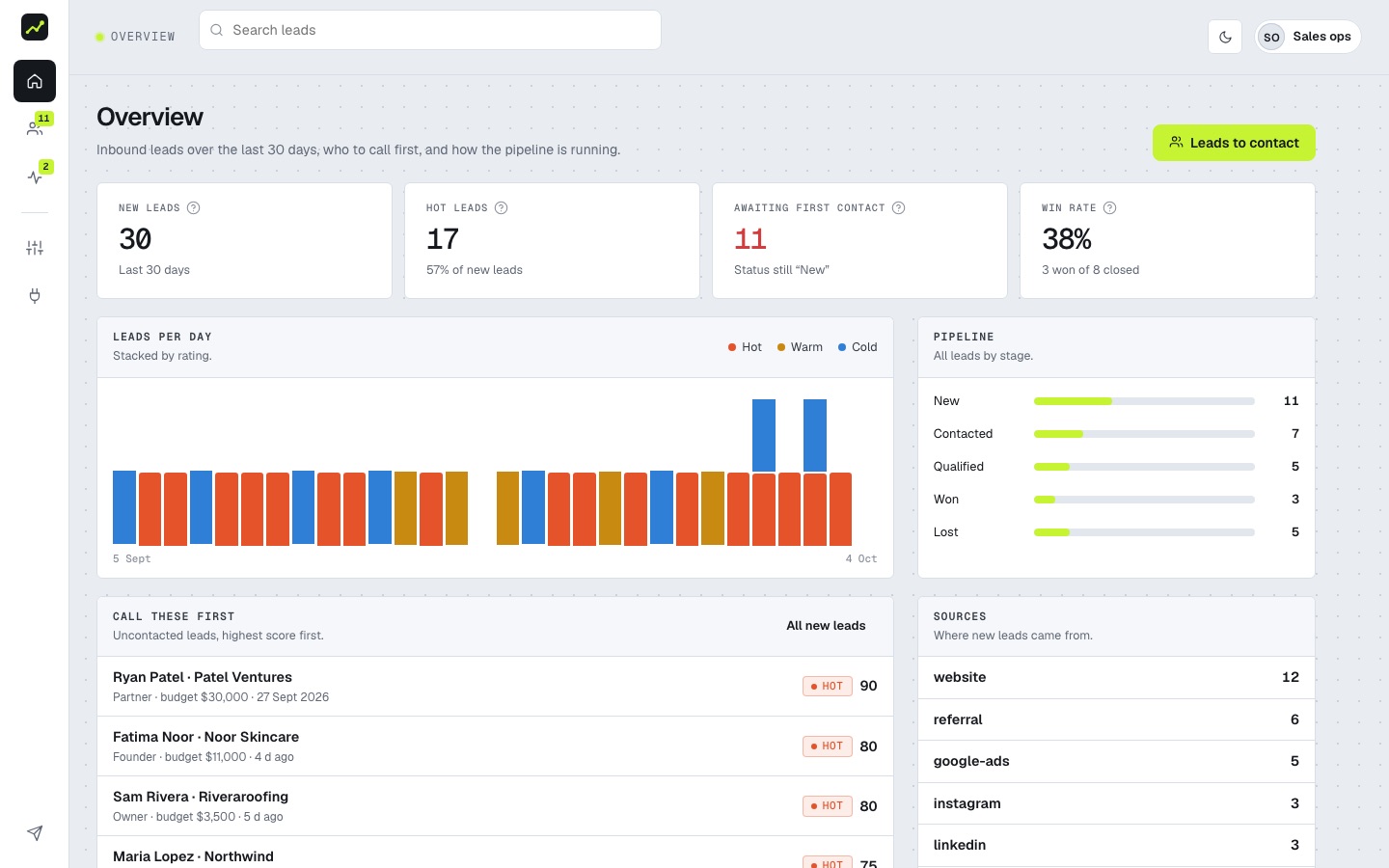
The first hour decides most deals.
Enquiries that sit in a shared inbox go cold. Copying them into a CRM by hand creates duplicates and typos, and nobody knows which one to call first.
By hand
- Form emails pile up in a shared inbox
- Leads copied into the CRM hours later, with typos
- The same person entered three times
- Every lead looks equally urgent
With Leadline
- In the CRM and in Slack within seconds
- Names, emails and phone numbers cleaned automatically
- Repeat enquiries merged into one record
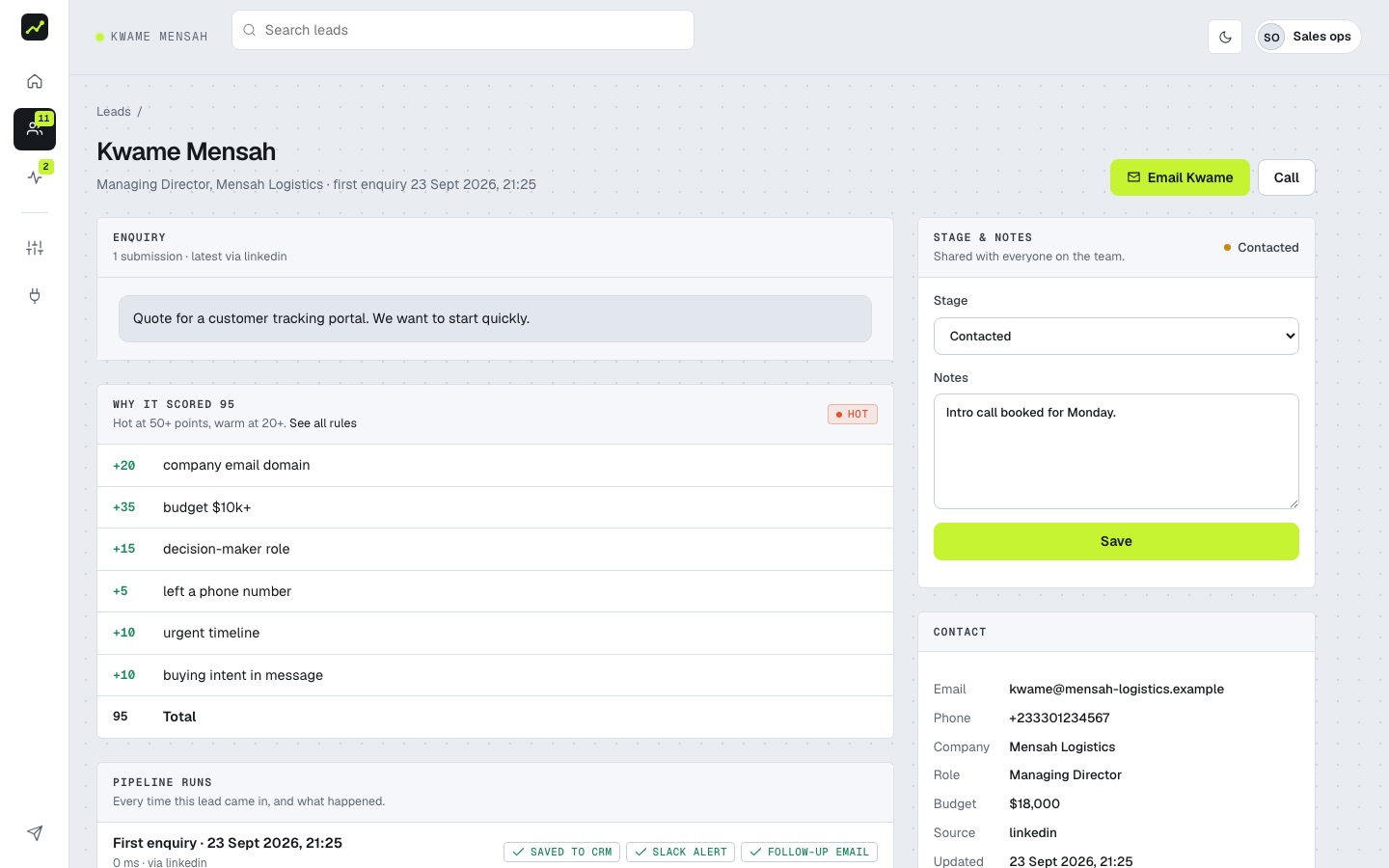
- Hot leads flagged, with the reasons shown
What happens to every enquiry.
Five steps, typically in under a second. Each one is logged, so you can see exactly what happened to any lead.
- 01 · VALIDATE
Validate
Required fields, real email format, and a hidden honeypot that silently drops bots.
- 02 · CLEAN UP
Clean up
Names in proper case, emails lower-cased, phone numbers normalised, company taken from the email domain, “$5k” read as 5,000.
- 03 · DE-DUPLICATE
De-duplicate
A second enquiry from the same person updates their record instead of creating a duplicate, and keeps both messages.
- 04 · SCORE
Score
Clear rules turn budget, role, urgency and intent into a hot, warm or cold rating, with every point explained.
- 05 · ROUTE
Route
Saved to your CRM, posted to Slack, and the lead gets a tailored follow-up email within seconds.
Built for the team that has to call them back.
Seconds, not hours
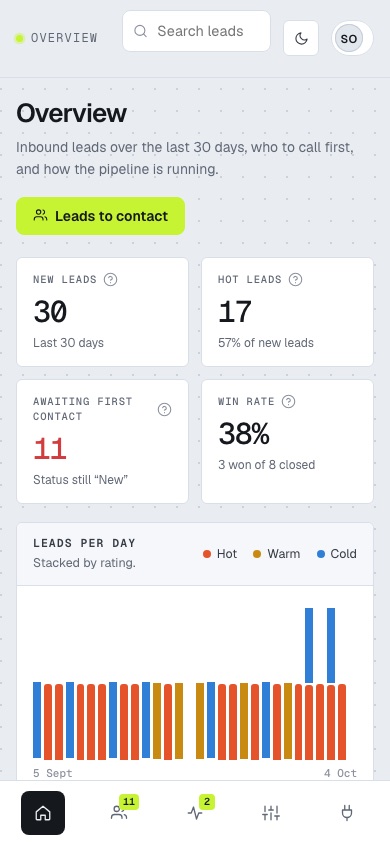
Every enquiry is in your CRM and your team's Slack before the visitor has closed the tab. Fast replies win more deals.
Know who to call first
Hot, warm and cold ratings come with the reasons behind them, so reps trust the score and can see why a lead ranks where it does.
No duplicate records
Repeat enquiries merge into one record with a submission count and the full message history.
Nothing gets lost
Saving the lead always comes first. If Slack or email is down, the lead is still saved, the failure is logged, and you can retry with one click.
A simple pipeline view
Move leads from New to Contacted, Qualified, Won or Lost, add notes, and filter by rating, stage or source.
Fits your stack
Airtable today; HubSpot, Pipedrive or a database behind the same interface. Prefer no-code? The same flow ships as an n8n workflow.
Connect any form in one step.
Send the form's fields as JSON to your webhook, with your secret in a header. Field names are forgiving: only name and email are required.
POST /webhook/lead
X-Webhook-Secret: ••••••••

{ "name": "maria lopez",
  "email": "Maria@Northwind.co",
  "role": "Founder", "budget": "$8k",
"message": "Need a quote asap" }Questions sales and ops teams ask.
Which forms does it work with?
Any form that can send a webhook: your own site, Webflow, Typeform, Tally, Jotform, Gravity Forms or an n8n/Zapier step. Point it at the webhook URL with your secret header.
Can we change how leads are scored?
Yes. The rules are a short, readable table: points for budget, role, urgency, buying intent and email type, with thresholds for hot and warm. The Scoring page in the dashboard shows exactly what runs.
Why rules instead of AI scoring?
Rules are instant, free to run, predictable and explainable to a sales team. When there's enough won/lost history, the same pipeline can add a model-based score alongside them.
What happens if Slack or the email service fails?
The lead is saved first, so it is never lost. Failed steps are recorded on the run with the error, and you can retry them from the pipeline log.
Where is lead data kept?
In your own CRM (Airtable in this build) or a local file for demos. Leadline only stores a log of each run so you can audit what happened.
Send yourself a test lead.
Fill in the demo form, then watch it arrive scored and routed in the dashboard.
Open the demo form